Appearance
Users
The Users section gives you full visibility and control over who has access to your account on the Synthix Flow platform.
Users
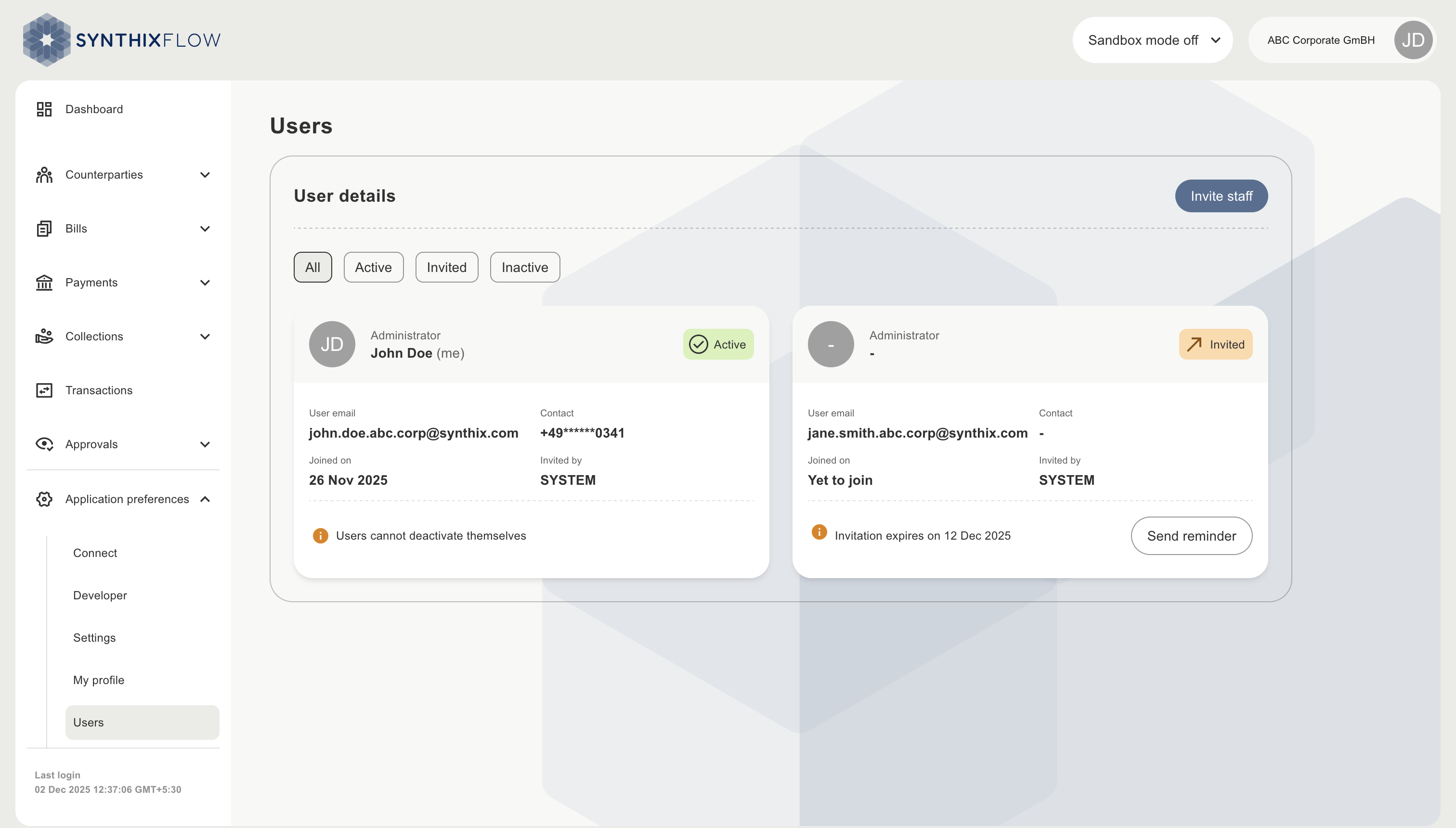
See a complete list of users invited to the Synthix Flow platform, along with user's:
- Email address
- Mobile number (masked for privacy)
- Joining date
- Status
- Invited by
- Expiry date for invitation
PAU will be invited by "System" and all other Staff users will be invited by PAU.
PAU can send reminders prior to expiry date using the "Send reminder" button and can deactivate the user using "Deactivate" button.
Inviting new users
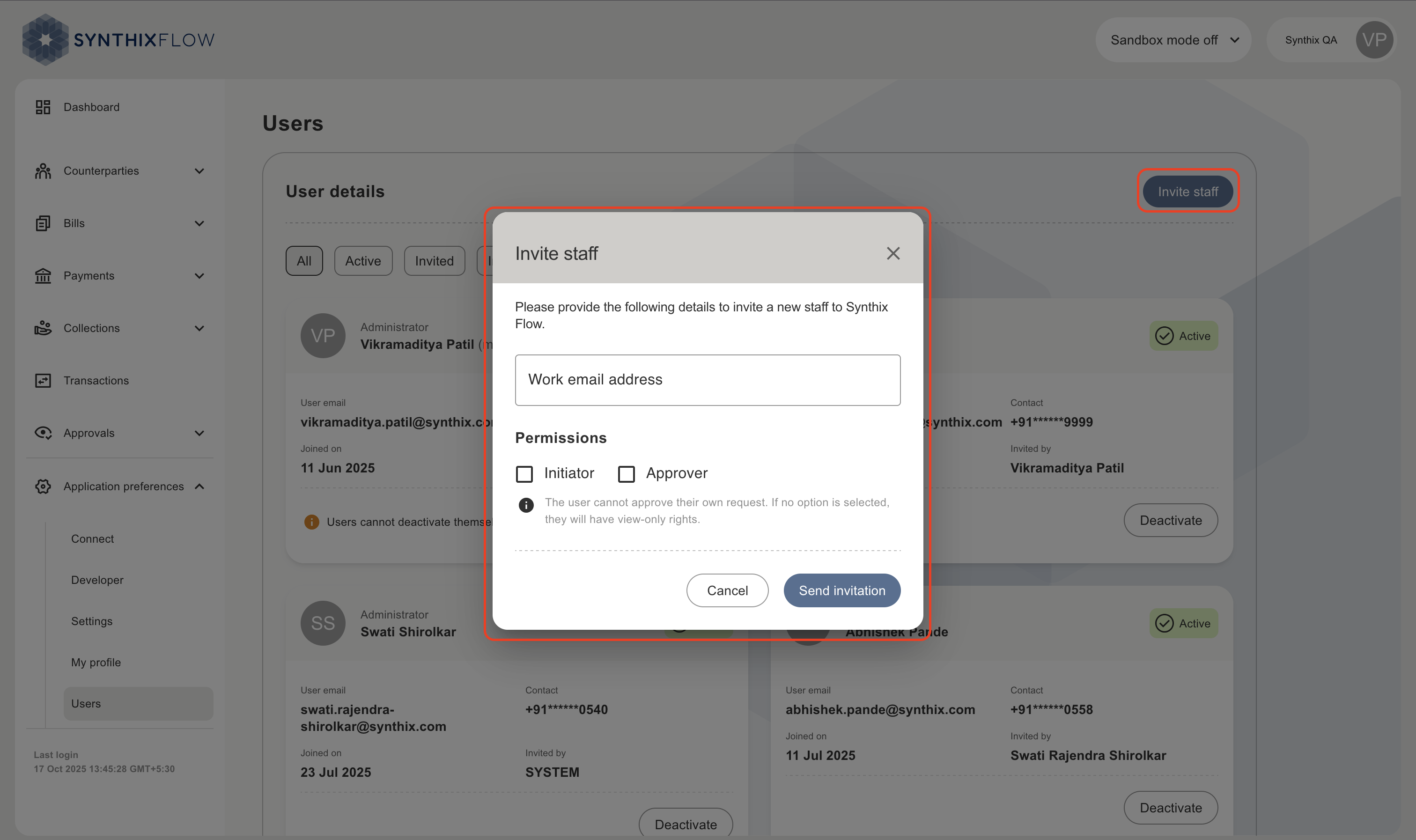
- Click “Invite staff”.
- Invite a new user by entering their email address.
- Assign their request rights, choose whether they’ll act as an initiator and/or approver within your approval workflows.
- Once invited, users receive an email with a secure link to set up their access and get started.
INFO
Approval workflows is only applicable for payments.