Appearance
Manage Sync
Mandates enable you to pull money from a counterparty's account using Direct Debits.
Connect and synchronise mandates
You can synchronise NACH Direct Debits mandates (India) registered on a Deutsche Bank (DB) account on Synthix Flow. The account is set-up with DB using an Utility code registered with NPCI. The mandates are synchronised automatically when your DB account is connected to Synthix Flow. The mandate will be synched every day at 12:30 a.m. IST. Every mandate must be linked to a counterparty.
Automatic mandate synchronisation
Synthix Flow performs daily synchronization of your mandates with DB.
For every new mandate synchronised with DB, Synthix Flow looks for it's matching counterparty. Where a counterparty already exists in your directory, Synthix Flow automatically links the mandate to the matched counterparty. If a match is not found it creates and links the mandate to a new counterparty.
The following parameters within the mandate are used to match it to a counterparty.
| Mandate | Counterparty |
|---|---|
| Debtor Name | Counterparty Name |
| Debtor Account Number | Counterparty account number |
View mandates
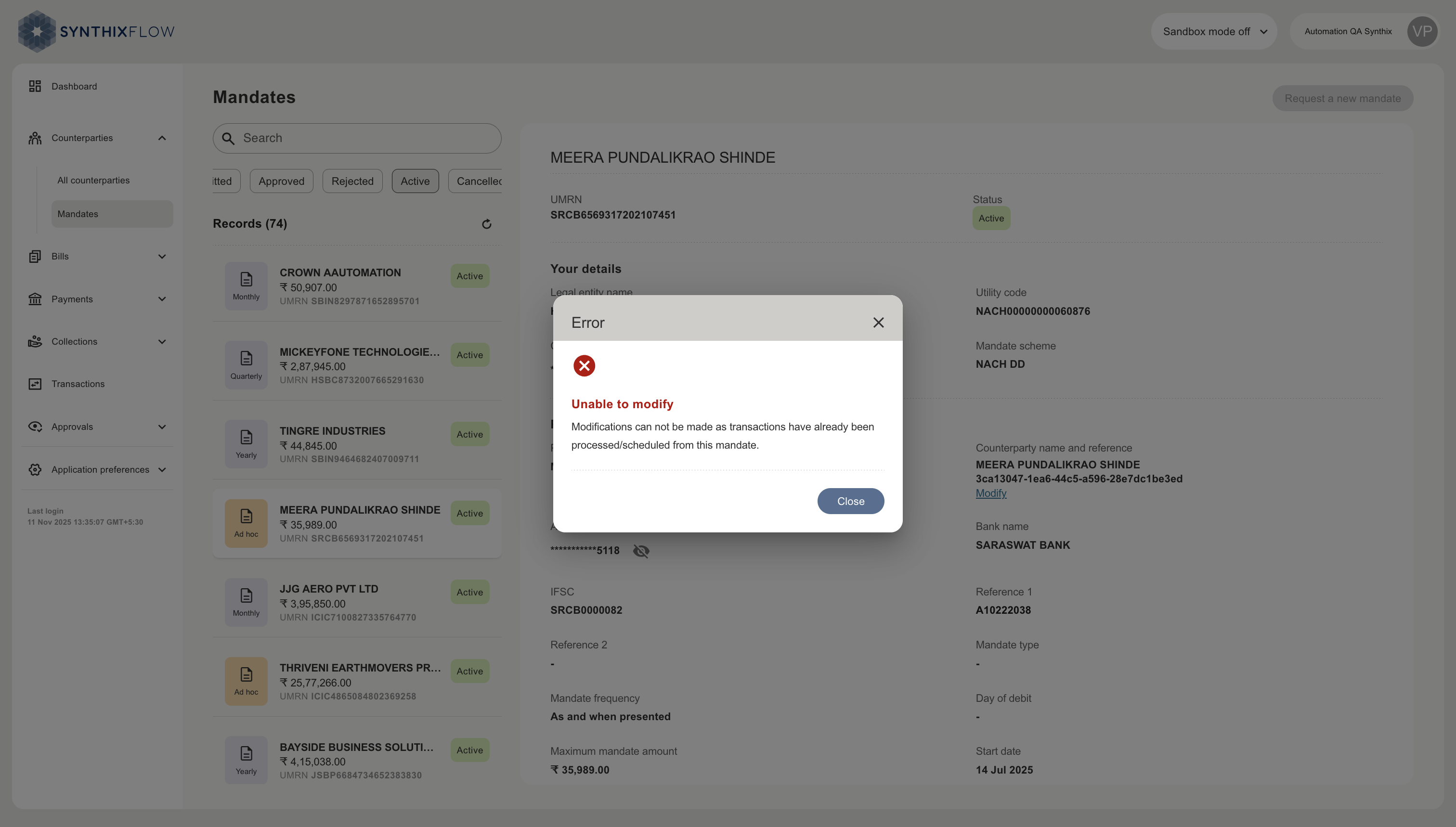
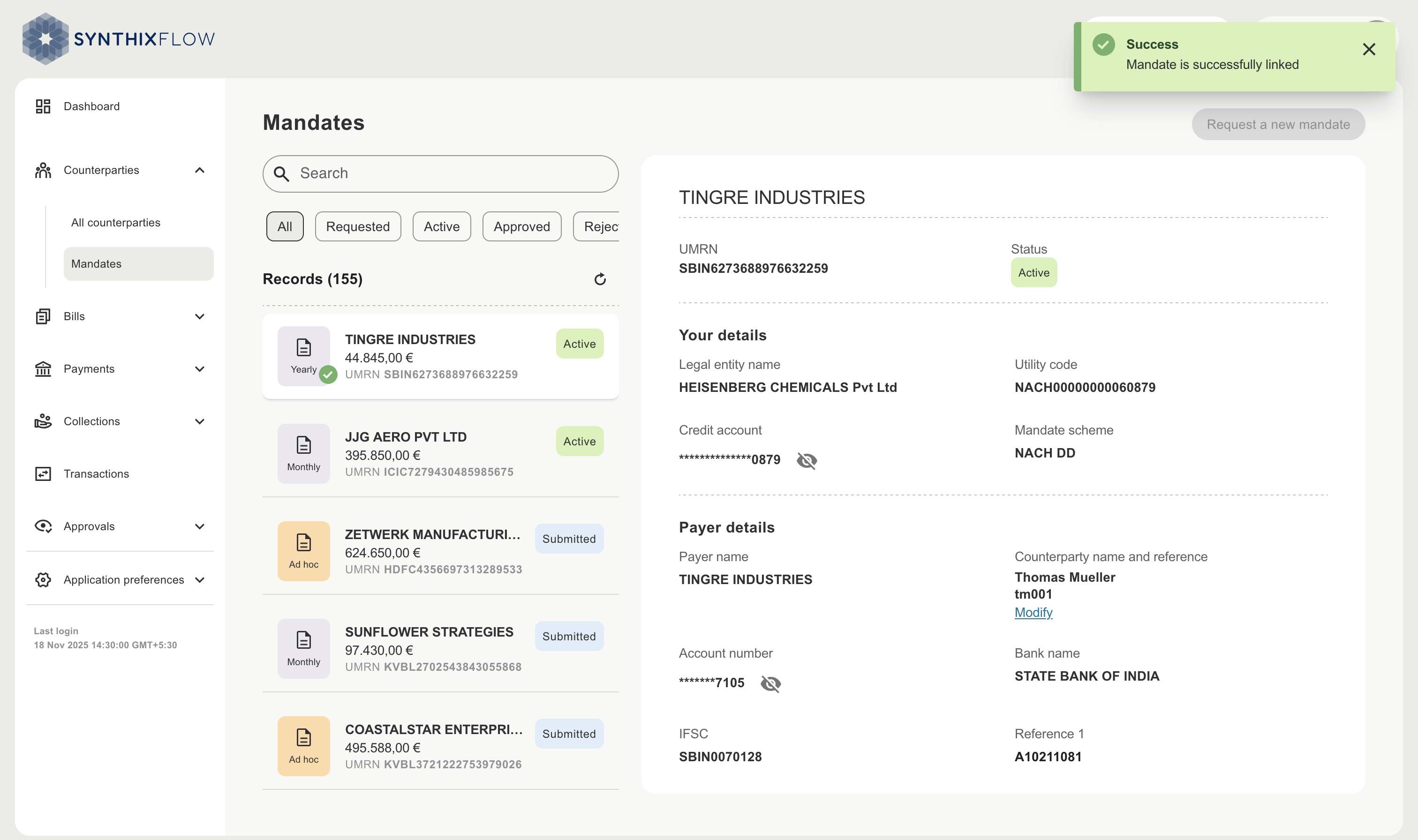
You can view all synced NACH Direct Debit mandates in the “Mandates” section. Select individual mandates to view its details.
| Field | Deescription |
|---|---|
| UMRN | Unique Mandate Reference Number |
| Utility code | Alphanumeric User Number assigned by NPCI to corporate entities or organizations participating in the NACH payment system |
| Mandate scheme | Payment scheme on which the mandate is applicable |
| Mandate frequency | - Yearly - Half-yearly - Quarterly - Monthly - As and when presented Monthly and As and when presented frequencies are supported for DD scheduling |
Mandate statuses
You can filter the mandates by their status. The statuses are managed by the National Payments Corporation of India (NPCI), Synthix Flow only displays them and cannot change them.
| Statuses | Description |
|---|---|
| Requested | Client of Synthix Flow request a creation of Mandate to its counterparty. |
| Submitted | Counterparty of the client has submitted the mandate details. |
| Approved | NPCI has verified the mandate with the counterparty's bank. |
| Rejected | NPCI has rejected the mandate, as per instructions from counterparty's bank. |
| Active | Synthix Flow will mark the mandate as active which have a due as of today or in the past, and are approved by NPCI. |
| Cancelled | Synthix Flow will mark the mandate request as cancelled, if request is rejected by either counterparty or anchor tenant. Mandate cancelled by Client of Synthix flow. |
| Expired | Synthix Flow will mark the mandate or mandate request expired post the due date. |
Modify a link between a mandate and a counterparty
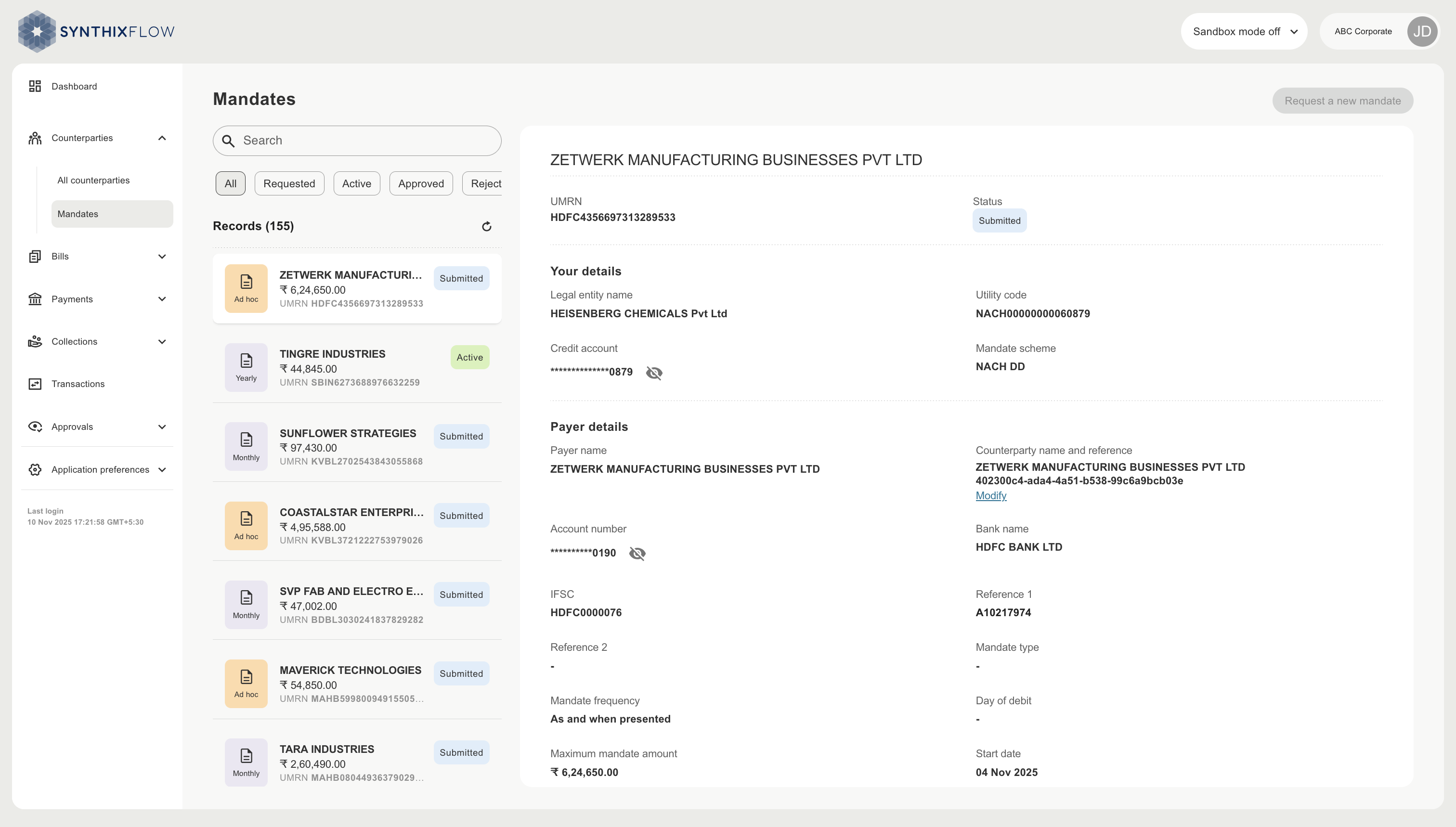
To modify the counterparty linked to a mandate click ‘Modify’, this can be found under the ‘Counterparty name and reference’, displayed in the mandate details.
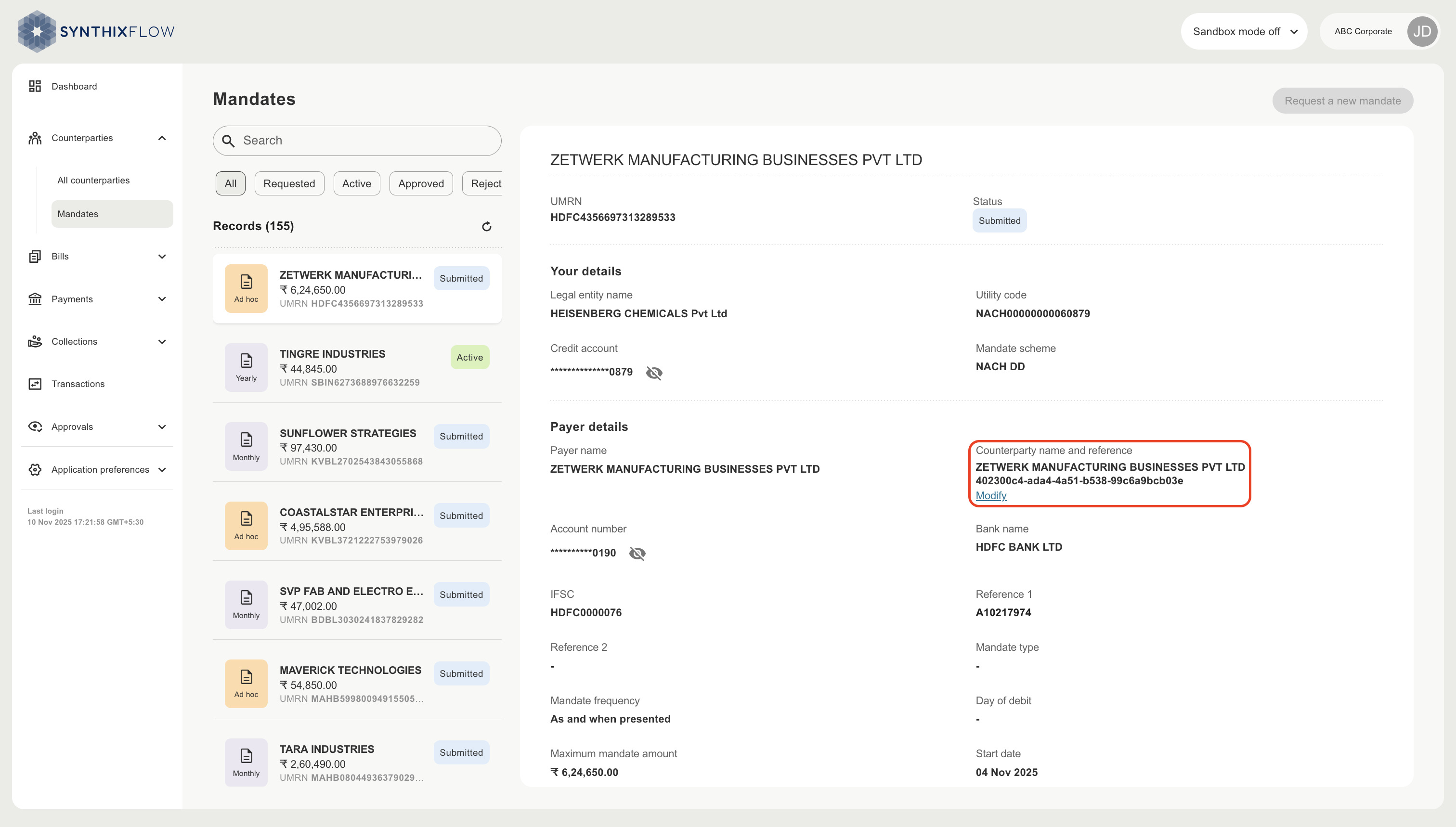
Choose a counterparty or create a new one.
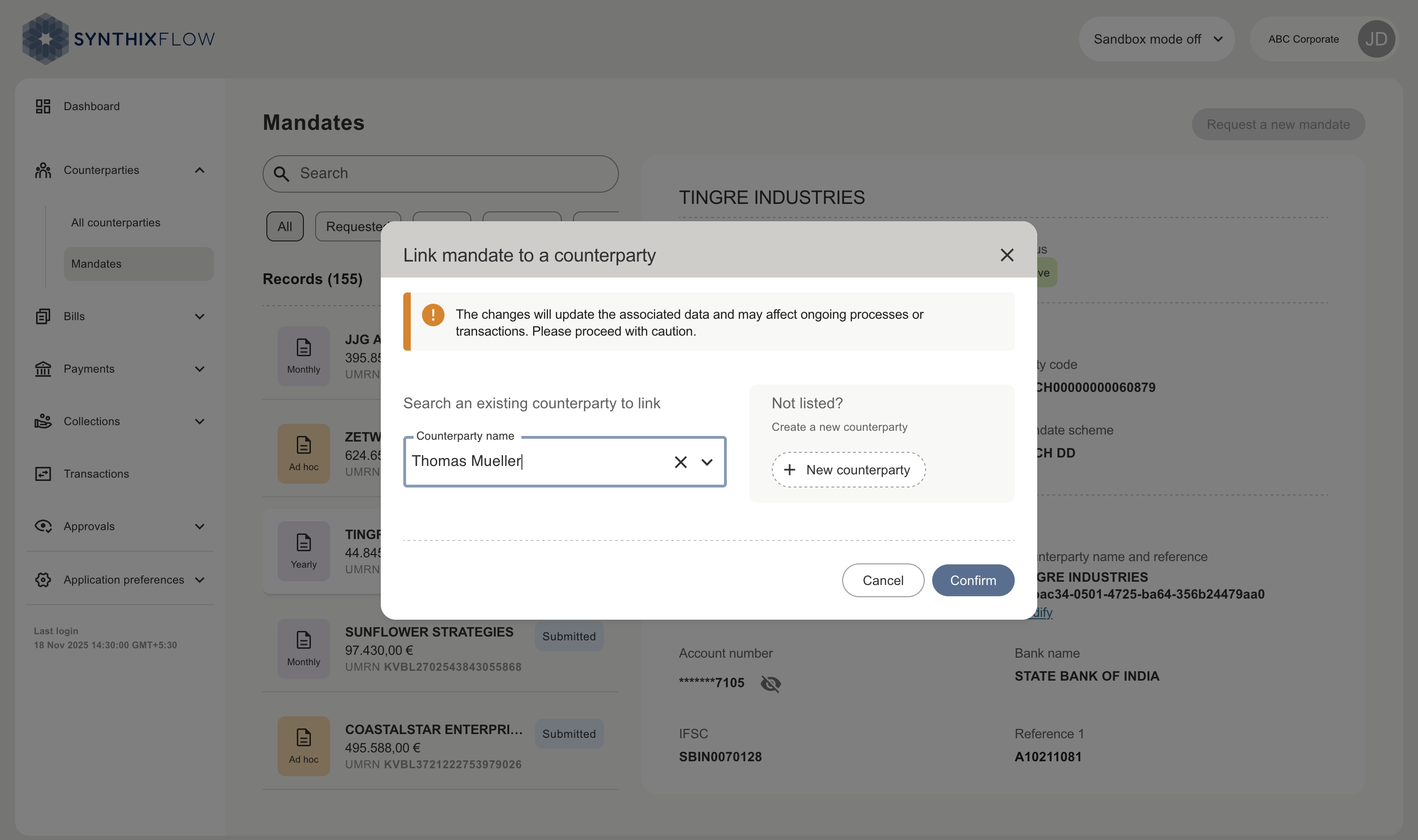
WARNING
Modifying the linking of a mandate to a counterparty is only possible if there is no activity, past or scheduled collections, on the mandate.
Thus changing a counterparty can be done on those mandates, where no past or future collections are scheduled.