

Appearance
Schedule direct debits
View scheduled direct debits
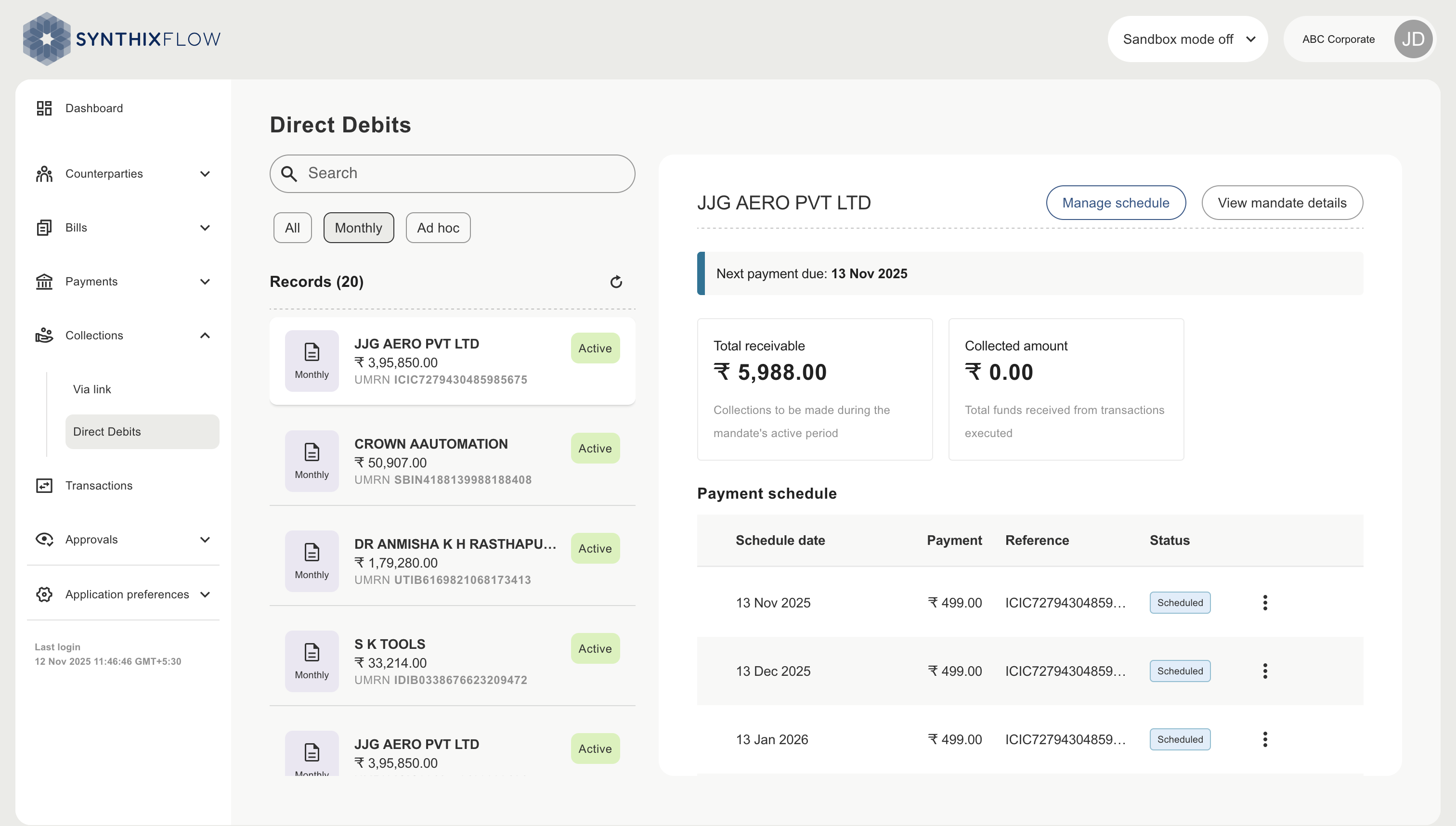
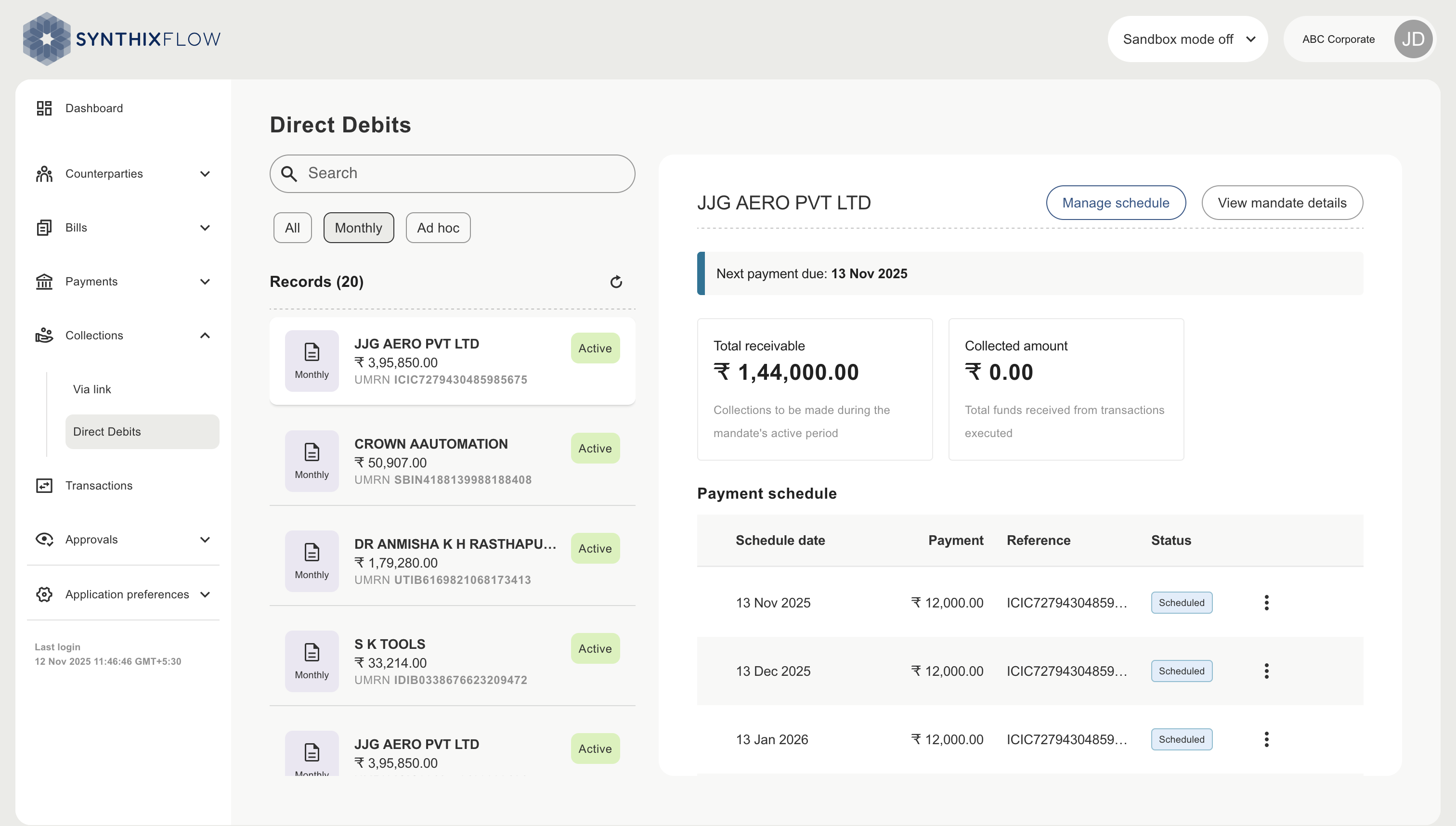
You have two types of scheduled direct debits, recurring and adhoc, these can be viewed in the “Direct Debits” section. The recurring option enabled currently is for monthly scheduling.
Schedule ad-hoc direct debit
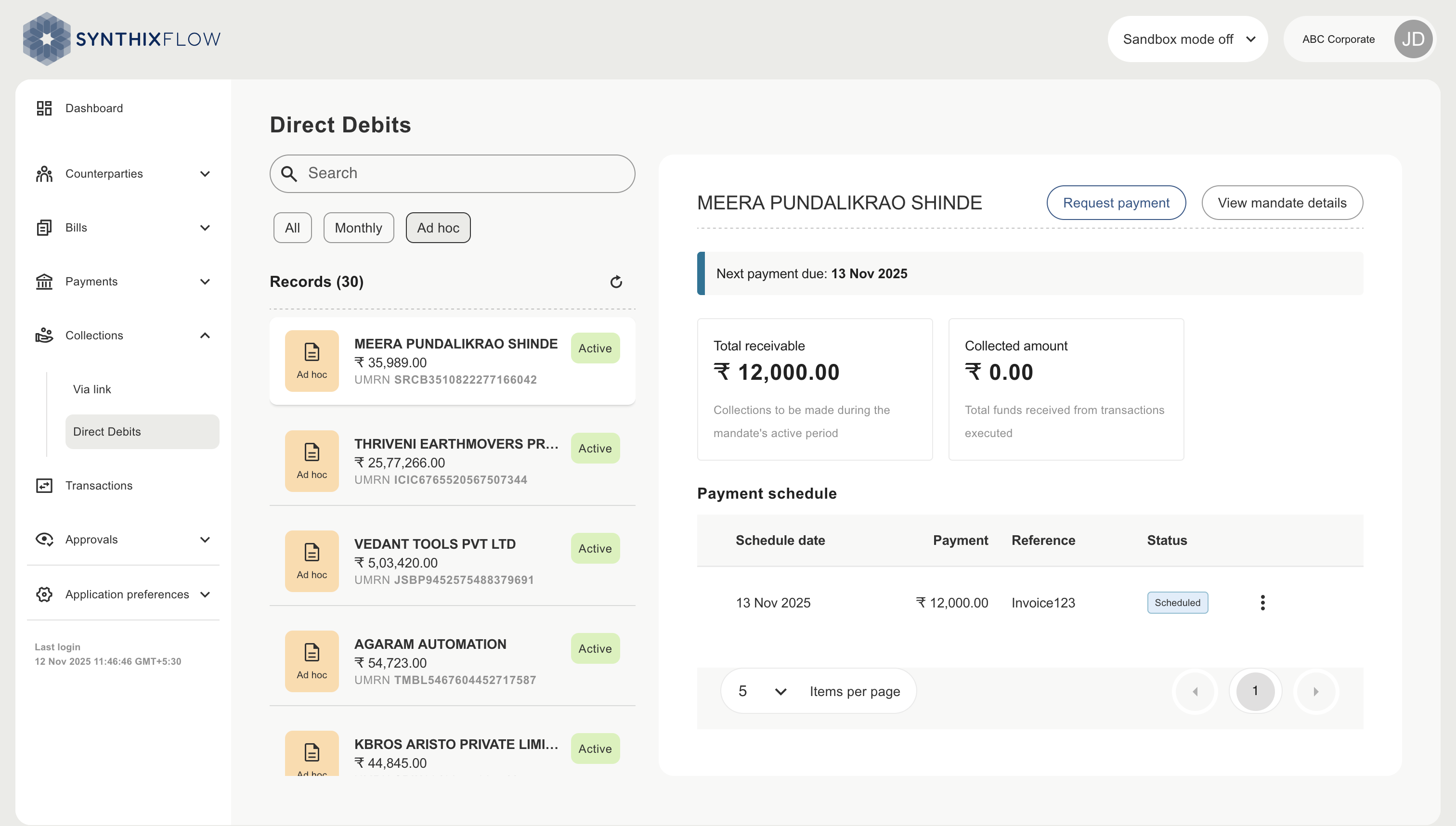
Select the ‘adhoc’ filter followed by clicking ‘request payment’.
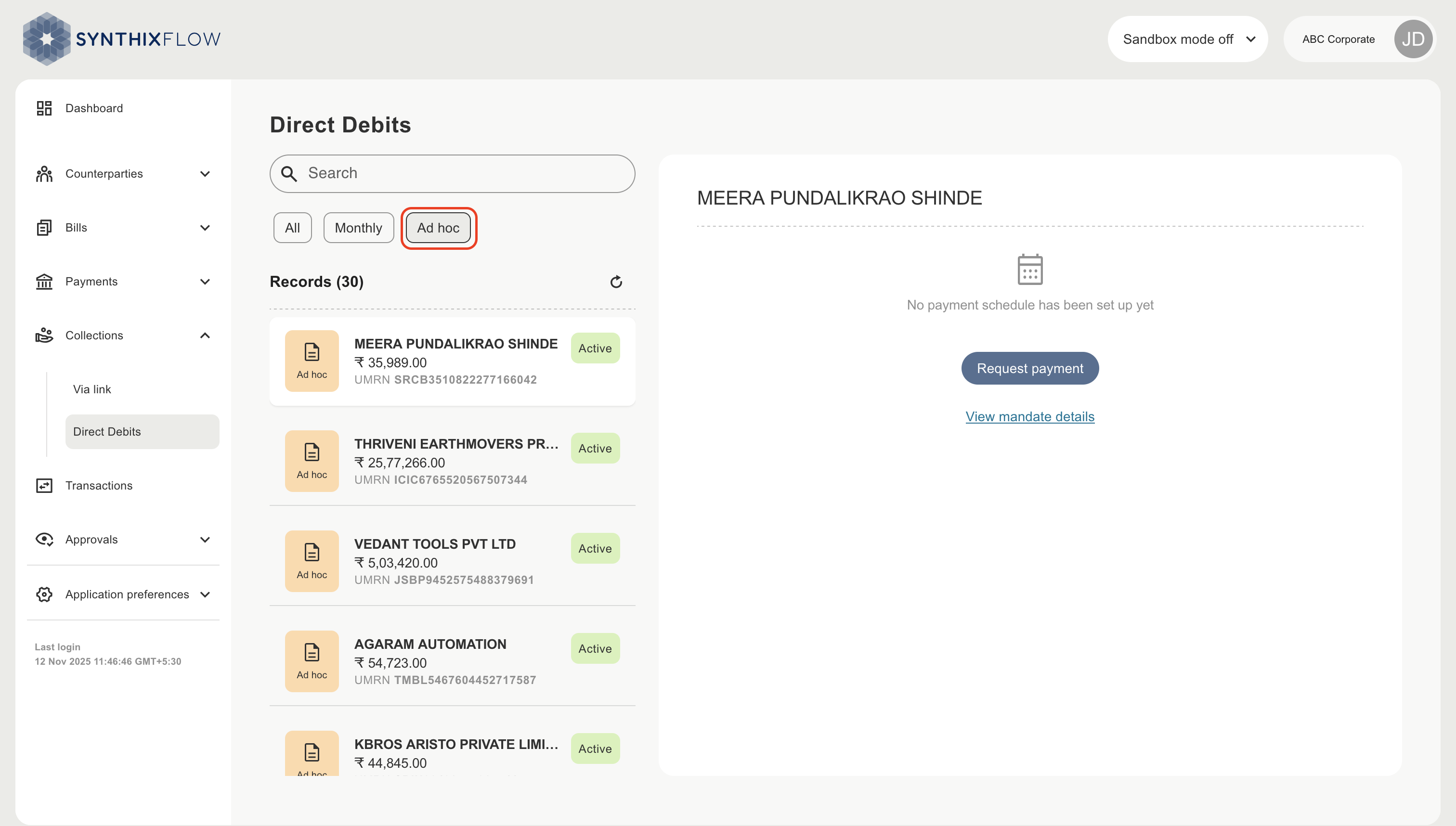
Request payment
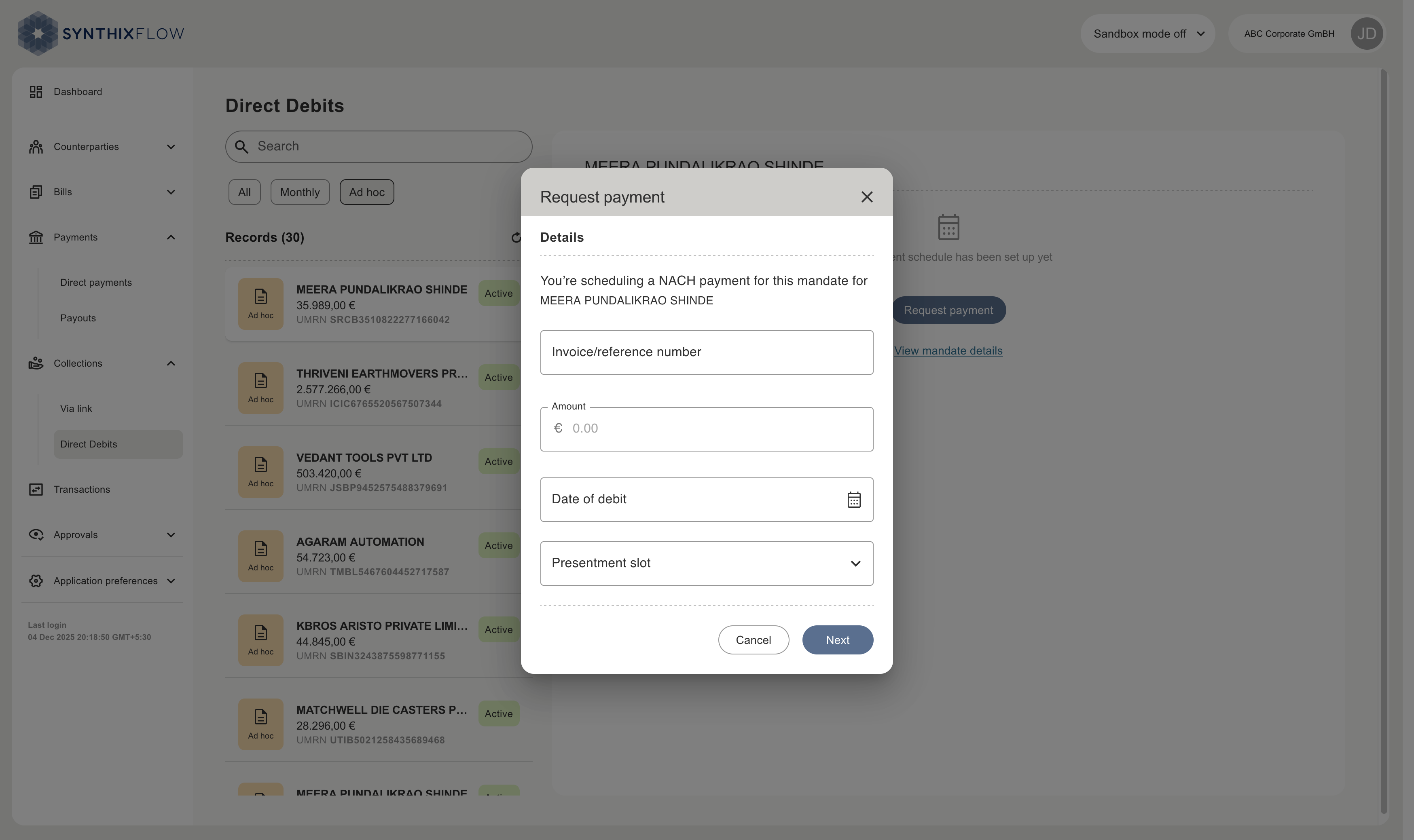
Enter the direct debit invoice/reference number, the amount, the required date of debit and presentment slot. Click ‘next’ to review the details before submitting.
- Amount - must be greater than 1 and not exceeding the maximum debit amount of the mandate.
- Presentment slot - is the NPCI presentment slot for NACH Direct Debit instructions. NPCI accepts instructions only in these slots every day. Users can choose between one of four slots 6:00 am IST, 8:00 am IST, 10:00 am IST, 12:00 pm IST. The first slot available will be a minimum of +1hr from the current time.
Example : When the system time is 09:00 AM IST, the next available slot is 10:00 AM IST. If the system time exceeds 09:00 AM (e.g., 09:05 AM IST), the subsequent slot will be applied, which is 12:00 PM IST.
- Date - can be set on or after the current date (if presentment slots are available) or the mandate start date, whichever is later. The date must also be earlier than the end date of the mandate.
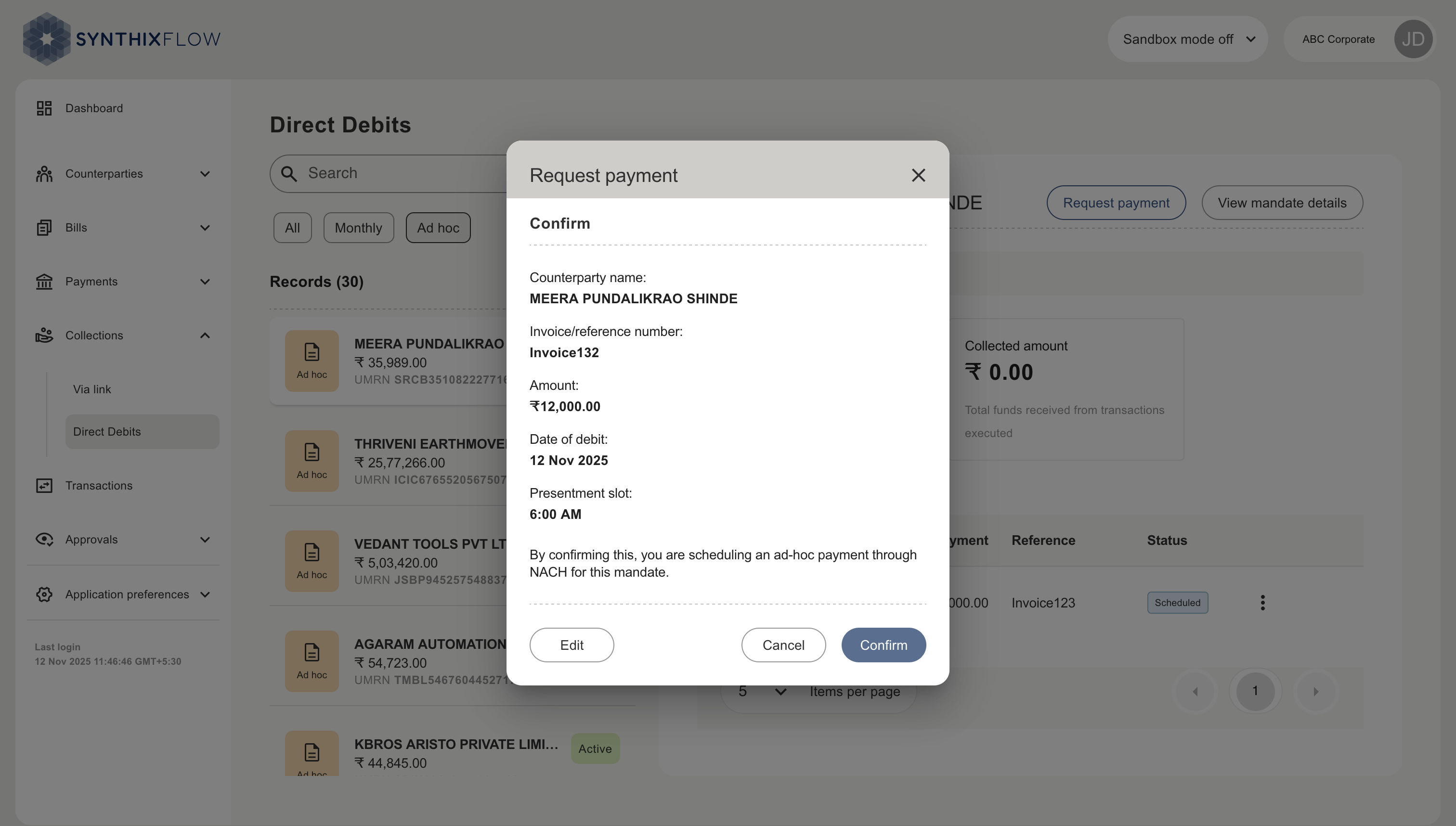
Once confirmed a payment schedule is created. You can see the total receivable amount of the schedule, and the amount collected to date.
Schedule recurring direct debit
Select the ‘monthly’ filter followed by clicking ‘set schedule’.
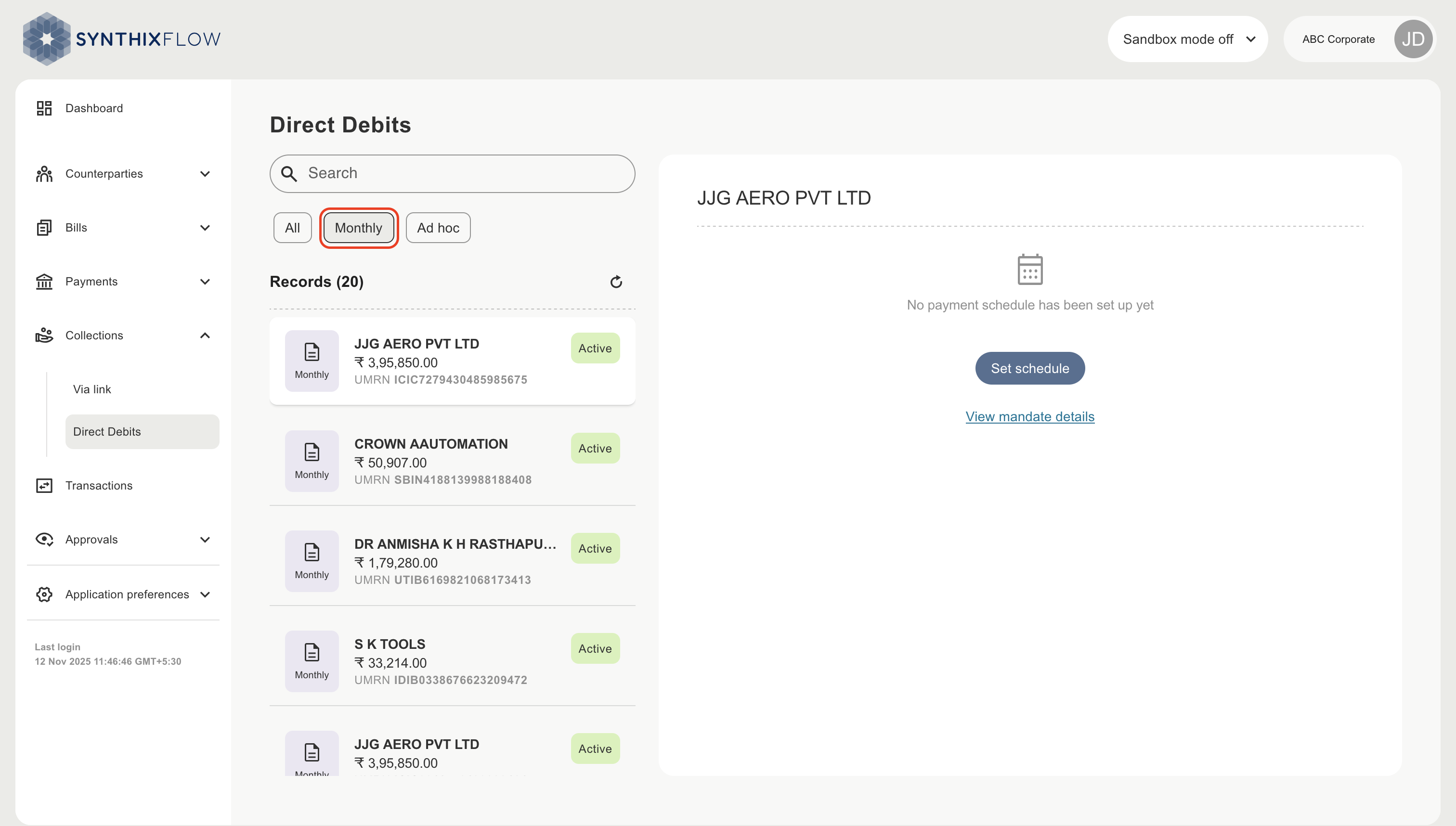
Enter the amount, the day of month present is to be made, the presentment slot start and end dates. Click ‘next’ to review the details before submitting.
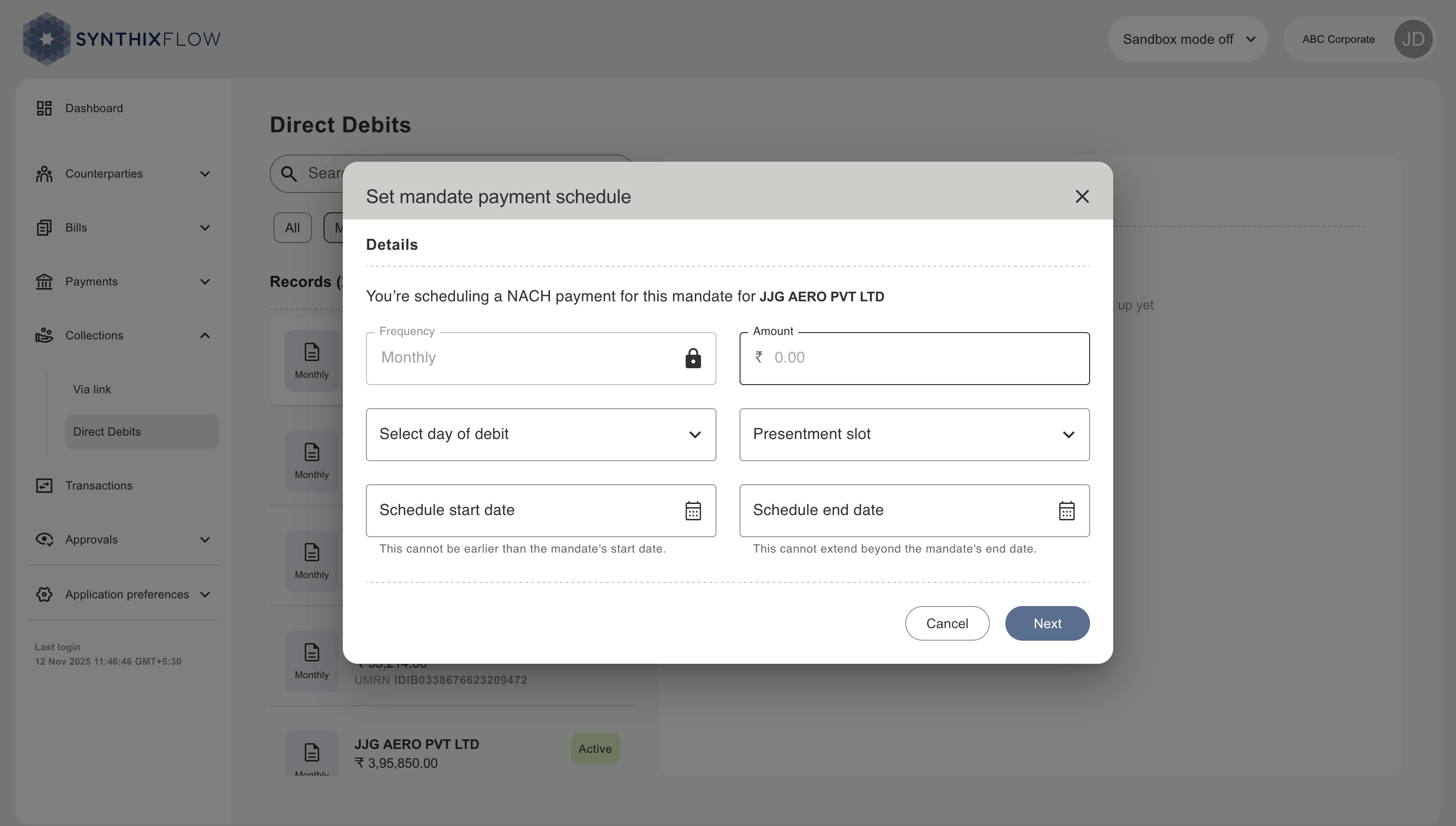
Review the details of the request before confirming.
- Amount - Specifies the debit amount for each transaction. The value must be greater than 1 and must not exceed the maximum debit amount defined in the mandate.
- Day of Debit - Indicates the recurring day of the month on which the debit will be initiated.
- Schedule start date - Defines the earliest date on which the schedule can begin. No scheduled occurrence will be set before this date. This value must be equal to or later than the mandate start date.
- Schedule end date - Defines the date on which the schedule ends. The end date must be at least 31 days after the schedule start date and must be earlier than the mandate end date.
- Presentment slot - Specifies the NPCI presentment slot for NACH Direct Debit instructions. NPCI accepts instructions only during predefined slots: 06:00 AM IST, 08:00 AM IST, 10:00 AM IST, and 12:00 PM IST. The first available slot will be at least one hour after the current system time.
Example : When the system time is 09:00 AM IST, the next available slot is 10:00 AM IST. If the system time exceeds 09:00 AM (e.g., 09:05 AM IST), the subsequent slot will be applied, which is 12:00 PM IST.
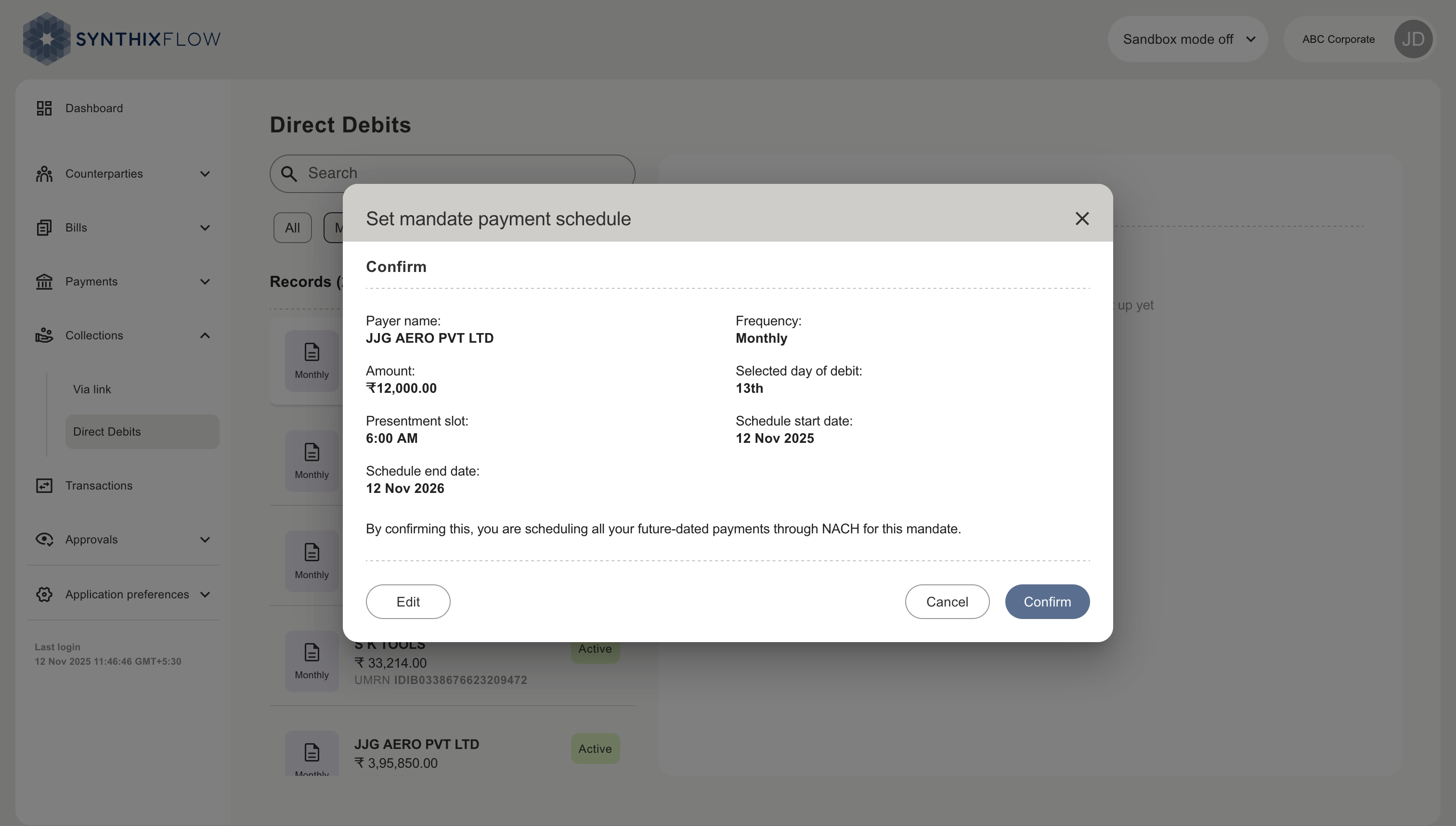
Once confirmed a monthyl recurring schedule is created. You can see the total receivable amount of the schedule, and the amount collected to date.
Pause a direct debit payment
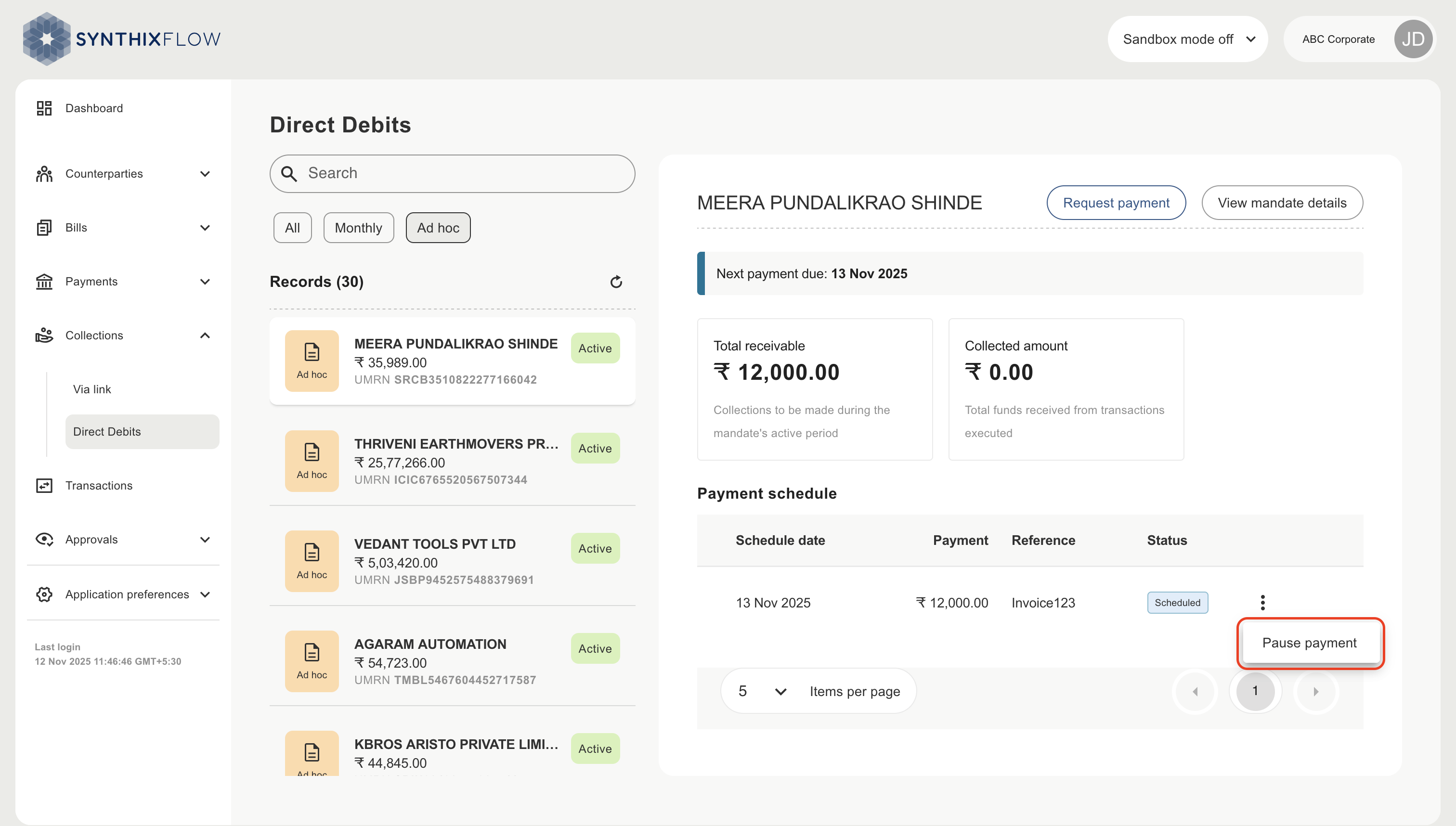
To pause a scheduled direct debit payment, select a record to view the payment schedule. Click the three dots next to the direct debit status and select ‘pause’. Pause can be selected up to 1 hr before the presentment slot.
Pause a direct debit payment schedule
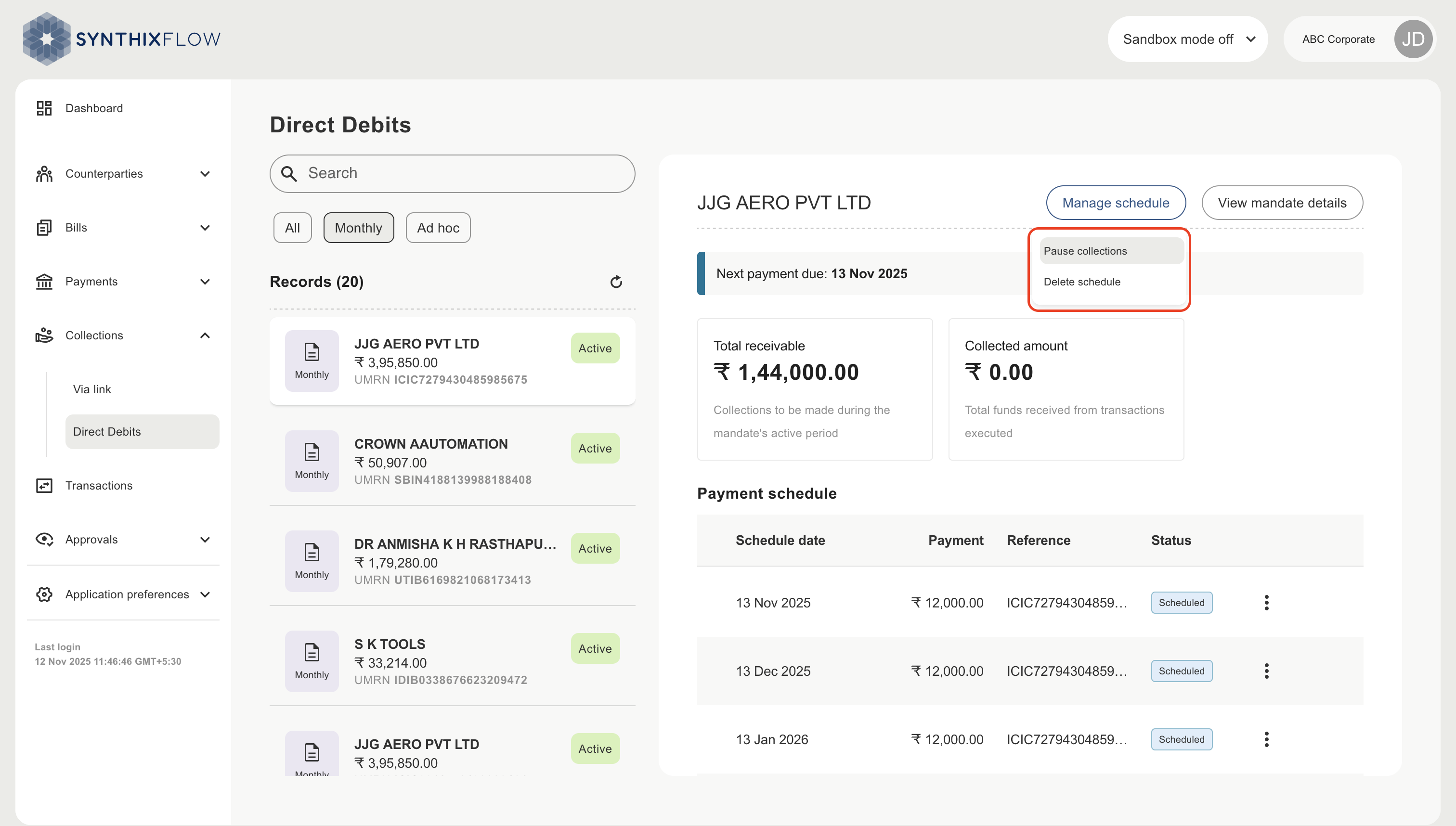
To pause an entire direct debit schedule, Click ‘Manage schedule’ and select ‘Pause collections’. This will only pause the scheduled direct debits.
Delete a direct debit payment schedule
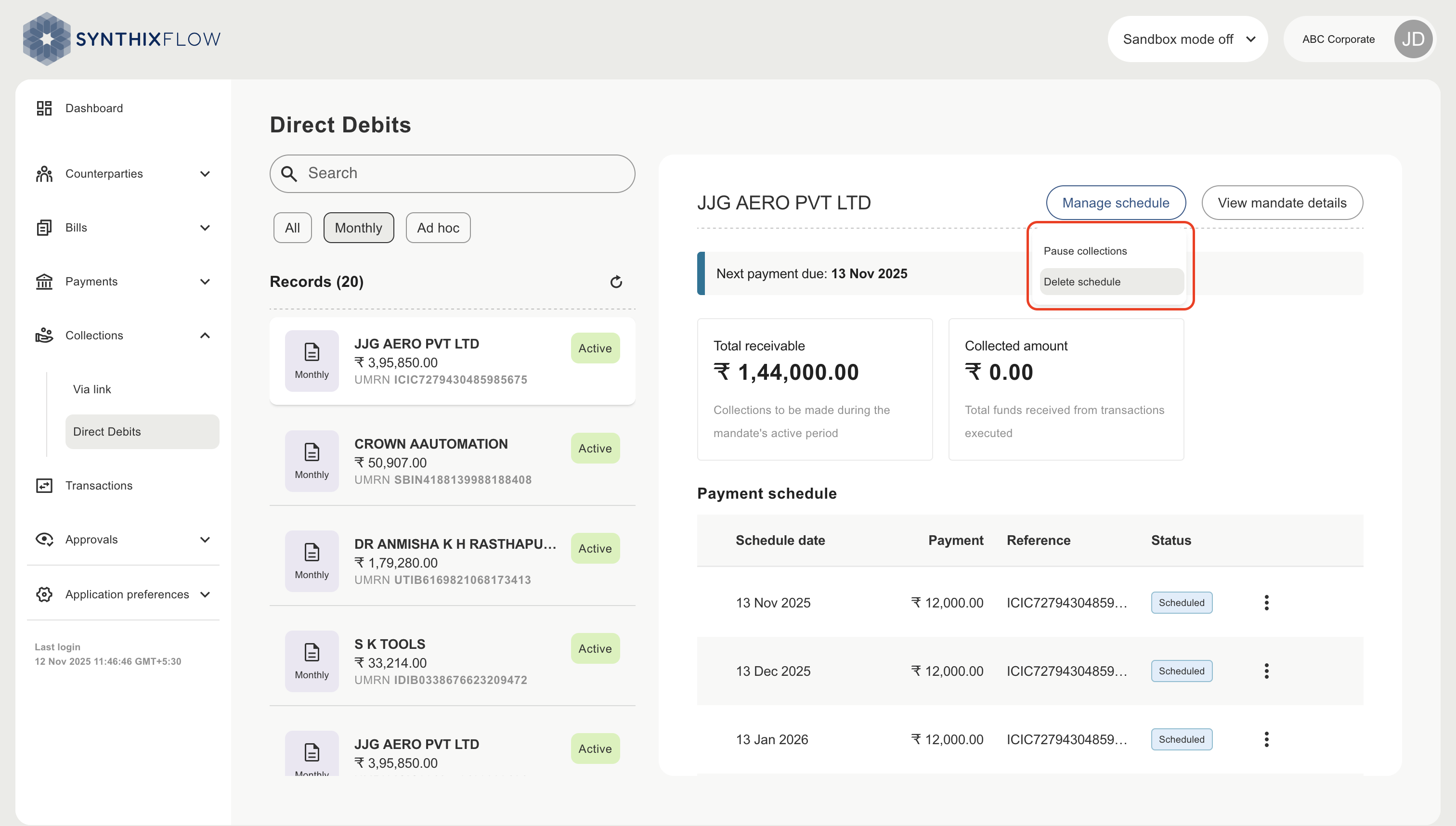
To delete an entire direct debit schedule, Click ‘Manage schedule’ and select ‘Delete schedule’. This will only delete the scheduled direct debits.
INFO
- Pausing a mandate schedule temporarily suspends its execution, allowing it to be resumed later without re-creation.
- Deleting a mandate schedule permanently removes it from the system, and it cannot be restored; a new schedule must be created if needed.
- Expiry automatically deactivates the mandate schedule when its end date is reached, preventing any further debit instructions without manual intervention.