

Appearance
Download Results
After an ingestion is processed, you can download the original uploaded file or a response file showing the import results.
Click the download icon in the Download column for any row to see the available options.
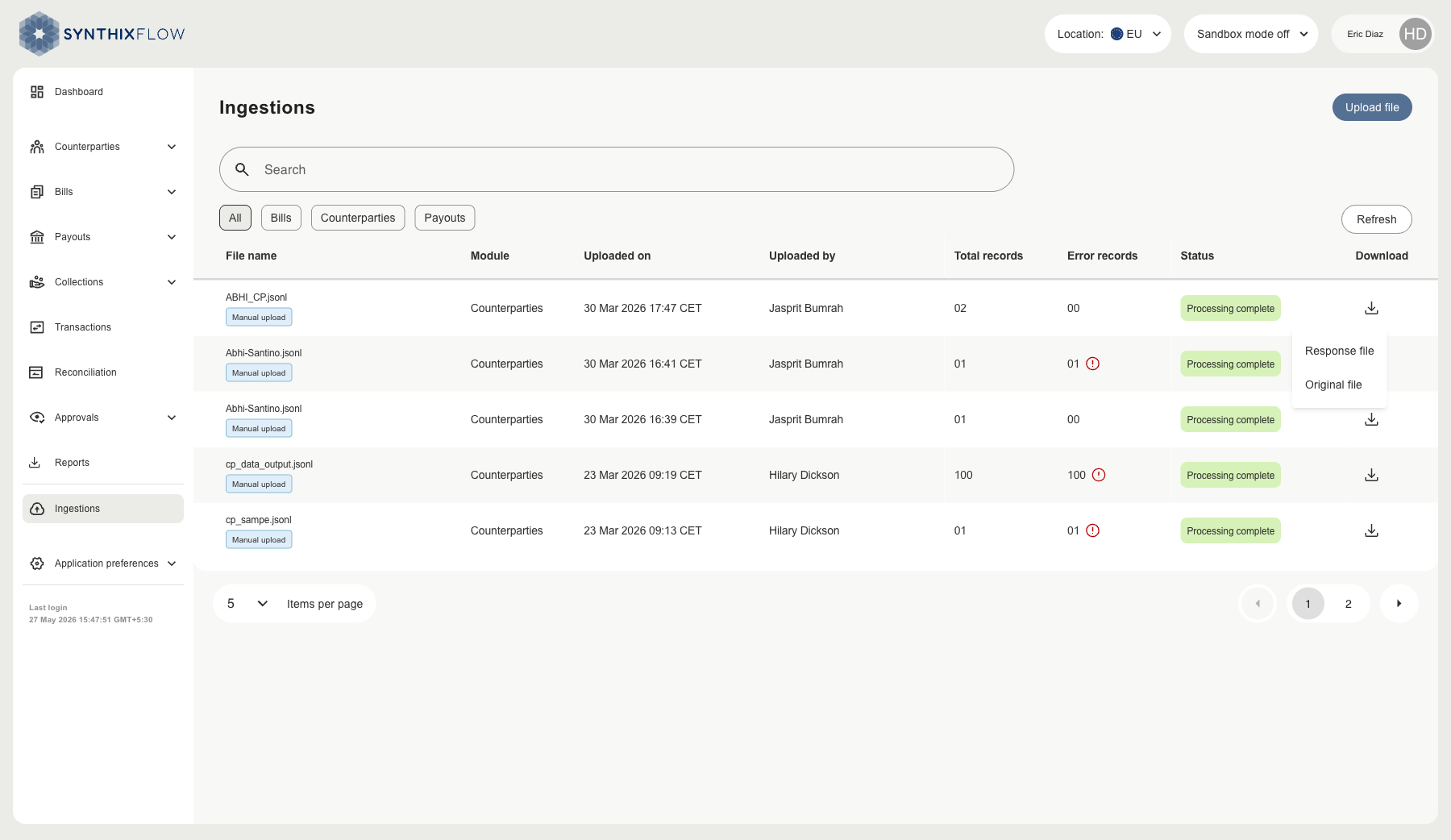
Download Options
| Option | Description | Availability |
|---|---|---|
| Original file | The file you originally uploaded | Always available |
| Response file | A summary of the import results, including details of any records that could not be processed | Available after processing completes |
Error Records
If the Error records column shows a count greater than zero, one or more records in your file could not be imported. Download the Response file to view the reason for each failed record and correct the data before re-uploading.