

Appearance
Add a bank account
If you have added a counterparty without a bank account you can add it by navigating to Counterparties, selecting the relevant counterparty and clicking the ‘Add account’ button.
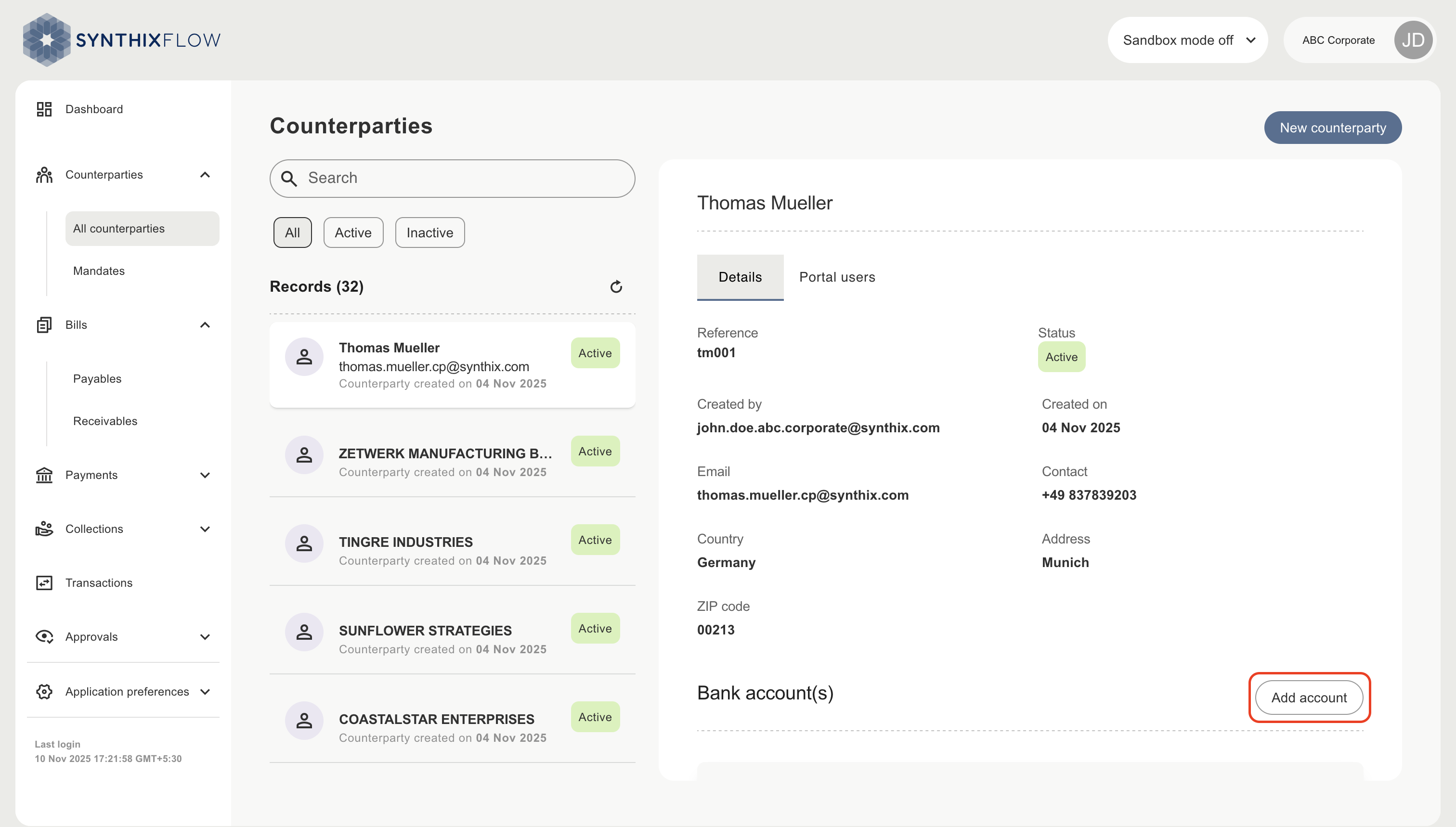
Enter bank account details
Enter the type of account, the currency, country, account identifier and branch identifier of the bank account. The account and branch identifiers will be validated according to the specific format requirements of each country (e.g. BIC will be validated using the ISO 9362 standard).
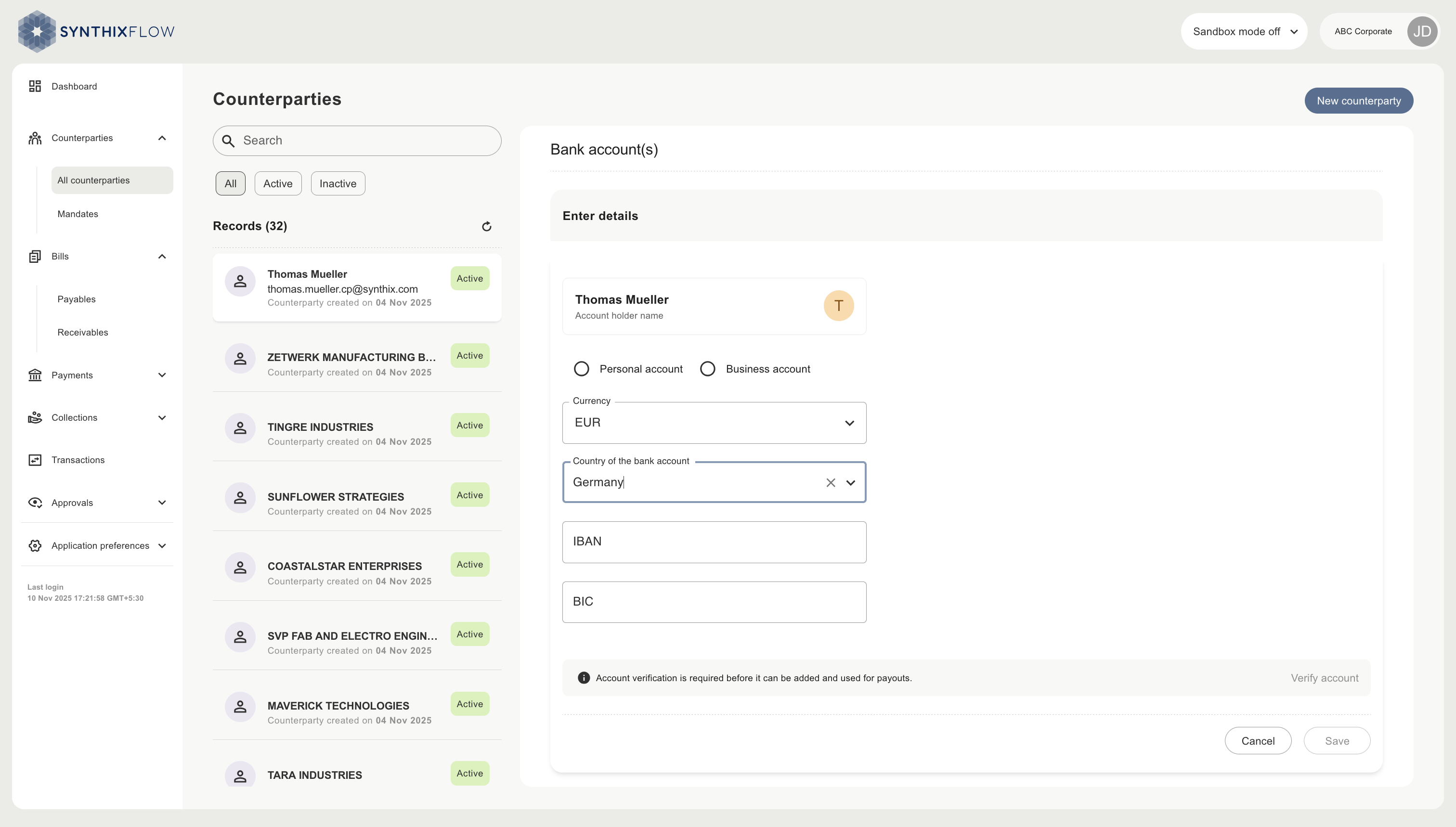
Verify bank account details
You can verify a counterparty’s bank account against it’s name by clicking the "Verify account" button. Synthix Flow uses Deutsche Bank's (DB) account verification API to do this.
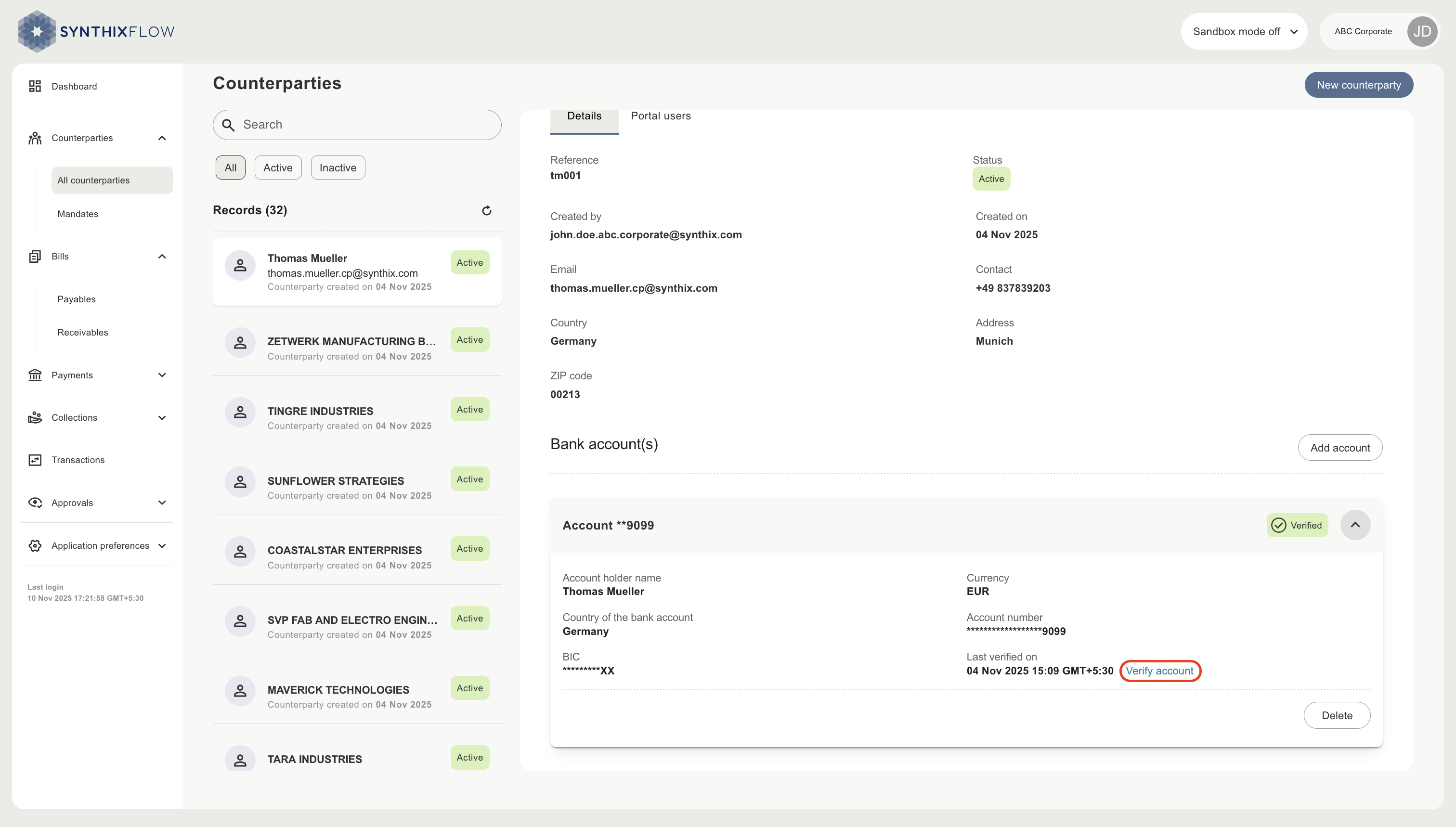
The verification check will return one of the following result.
| Status | Description |
|---|---|
| Verified | Account exists, and Counterparty name matches the account holder name. |
| Unverified | Account not yet verified. |
| Verification failed | Account details and/or name may be invalid OR cannot be verified via the DB Account verification API. |
WARNING
Accounts that are not verified have a significant risk of fraud, misdirected payments, and potential financial loss due to funds being sent to the wrong recipient.
Other ways bank accounts are added
A bank account can also be added to the counterparty during:
- submission of the counterparty’s account details via the payout link
- the counterparty’s profile being added during mandate synchronisation