

Appearance
Inviting counterparties to the Payables Portal
The Payables Portal serves as a centralized platform where your counterparties can seamlessly access and review all invoices issued to them. It empowers them to make secure and timely payments using their preferred payment methods—whether through bank transfers, cards, or integrated payment service providers—ensuring convenience, transparency, and efficiency in every transaction.
Invite a counterparty from the counterparties section
Select the counterparty from the records list and invite counterparty user by navigation to "Portal users" tab and click ‘invite user’. Portal users are counterparty users who will login into Counterparty portal.
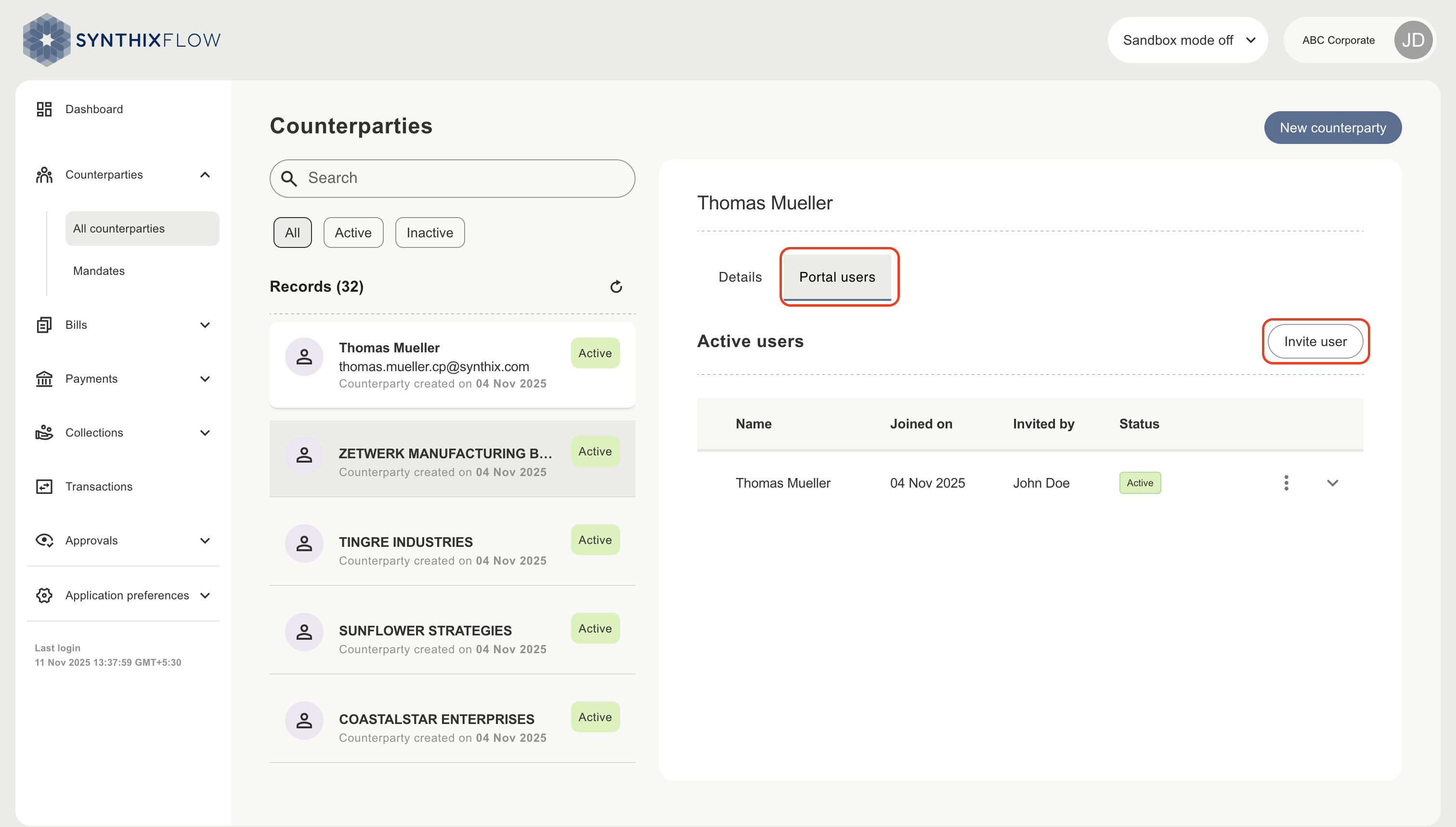
You will then be asked to:
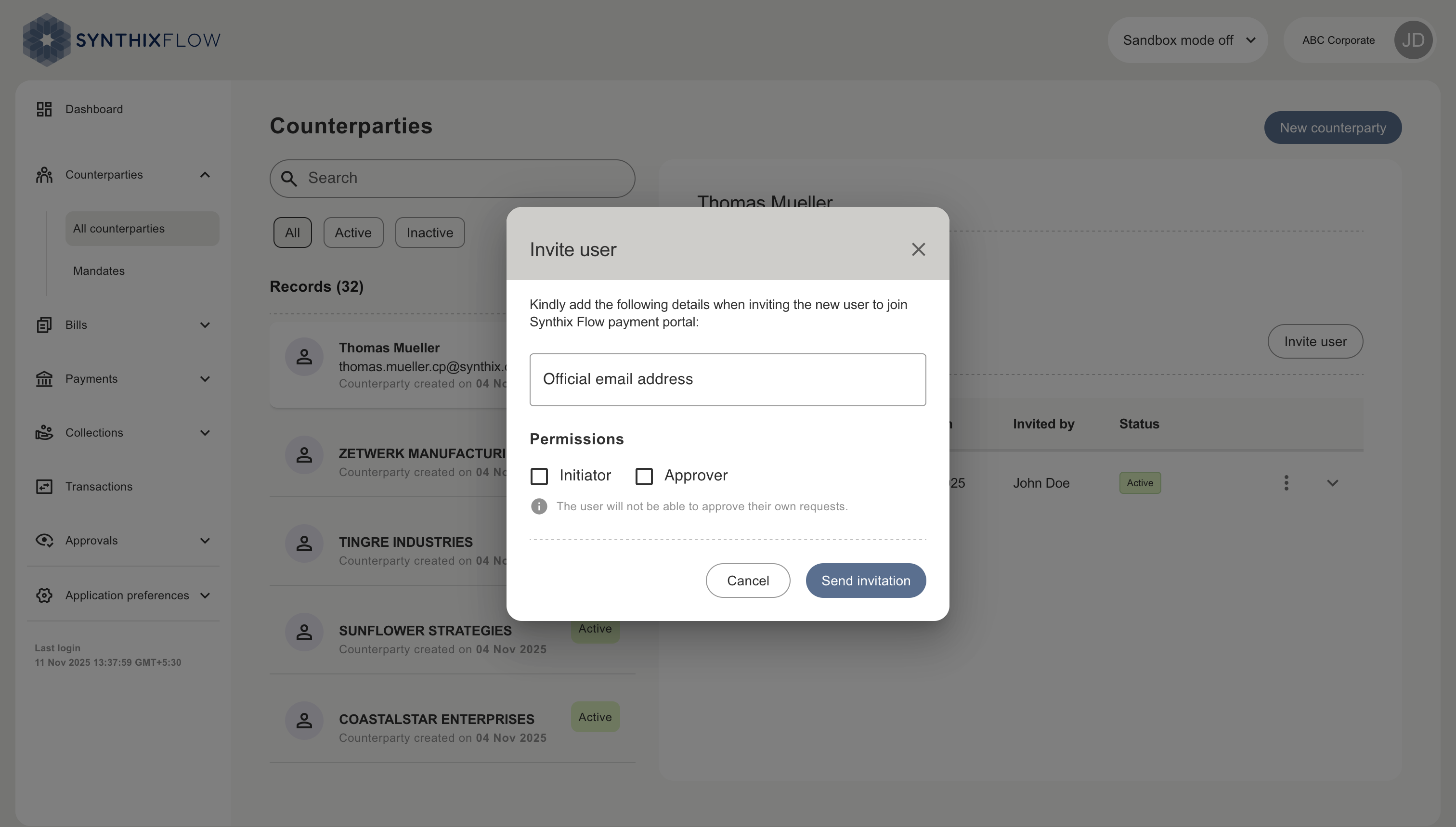
- Enter their email address of the counterparty user,
- Choose their permissions, either as an initiator, approver or both
- Click ‘Send invitation’
INFO
The user will not be able to approve their own requests.
The user will then receive an invitation via email. Once accepted, they can complete registration and gain access to the portal. Counterparty users will then be visible in the active users list.
Counterparty’s Payables Portal
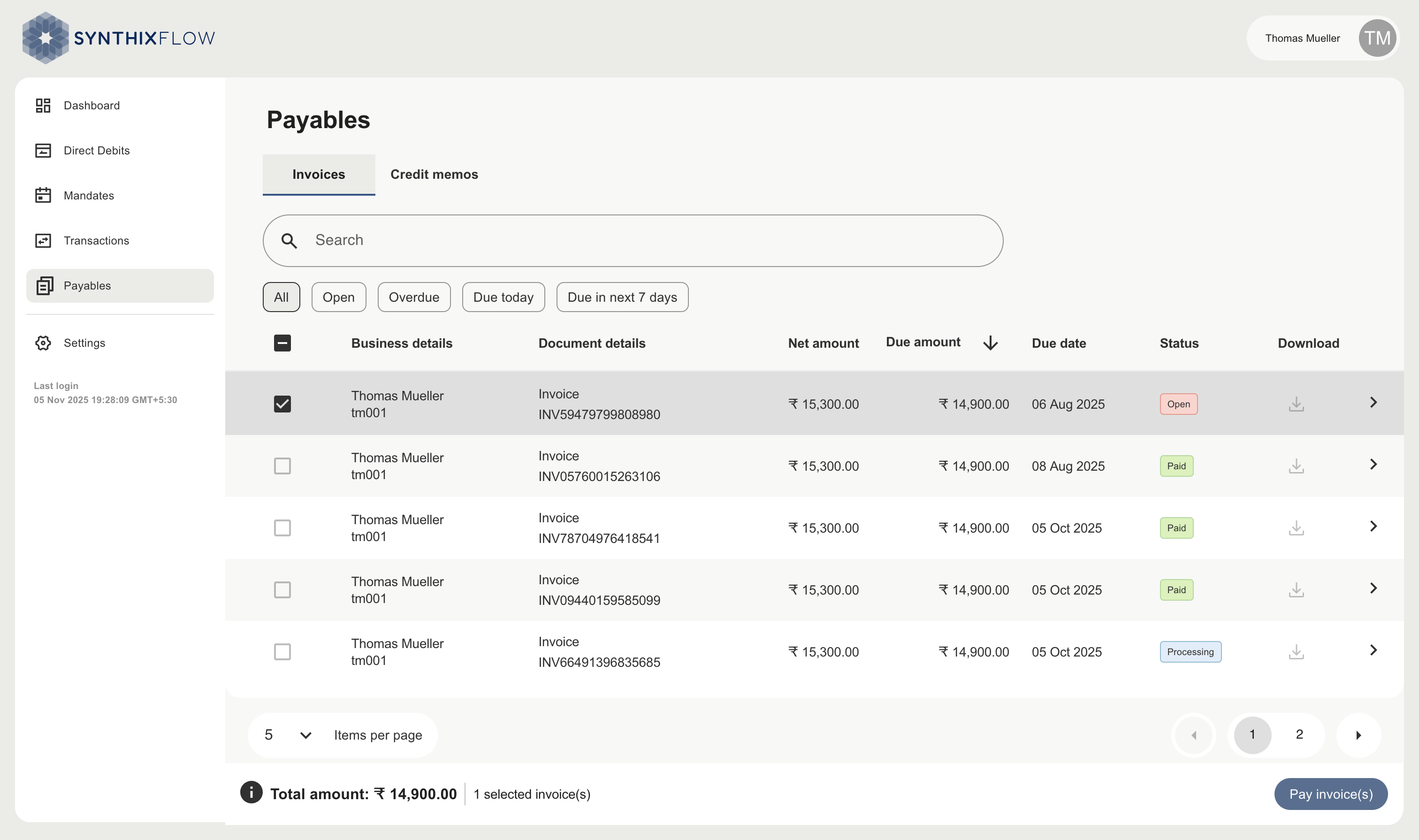
Once registered, counterparties can:
- View all bills issued to them
- Select single or multiple invoices for payment
- Apply credit notes, against open invoices
- Choose from multiple payment methods (Wallet, Account-to-Account, Cards, Direct Debit)
- Make payments via embedded gateway with real-time status update
- Access their full history of invoices and payments